

6 min read
Party Mode in LoreKeeper: How One-Screen Play Works and What It Costs
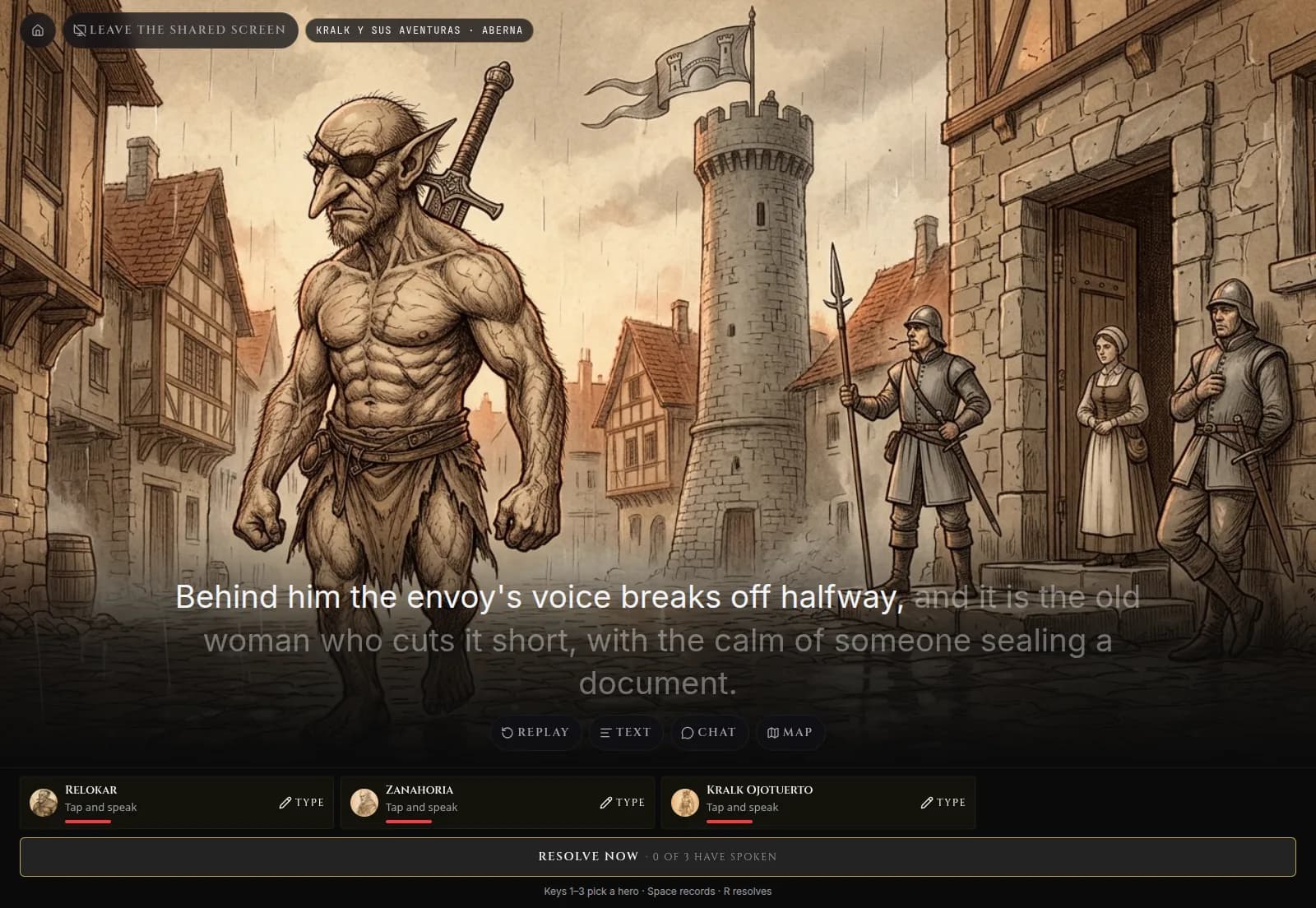
Party Mode is back, rebuilt from scratch. One screen sits in front of the group, each player taps their hero and says what they do, and when the table is ready someone presses Resolve now. The AI Dungeon Master then narrates the round out loud, with subtitles over the scene. This post covers how a round works and, above all, what it costs.
Free · 10 turns a day · no card
In this article
What is Party Mode now?
Party Mode is a way to play a LoreKeeper campaign with everyone in the same room, sharing one screen: a phone on the table, a laptop or a TV. The scene image fills the screen, the DM's narration runs as large subtitles that light up word by word with the voice, and along the bottom there is one seat per hero.
The first version of Party Mode passed the turn from player to player and stopped working when the play screen was rebuilt in October. The new one changes the rhythm: there is no fixed turn order. Anyone can speak at any time, redo what they said, and the round goes to the DM only when the group decides.
How does a round work in Party Mode?
- A player taps their hero's seat and speaks. On a laptop or TV, the keys 1 to 6 pick a hero and Space starts recording. The speech is transcribed and the player reviews it before sending.
- If the action needs a roll, the roll happens right there, with the same rules as the regular play screen.
- The others do the same, in any order. Anyone who changes their mind taps their seat again and redoes the action. The button at the bottom counts how many heroes have spoken.
- Someone presses Resolve now (or R on the keyboard). A hero who said nothing follows the group.
- The DM resolves the round and narrates it out loud. While it works, the screen shows what it is doing. Then the voice starts and the subtitles light up word by word as it speaks.
Nothing goes to the DM until someone presses Resolve now, even if every hero has already spoken. That gives the table time to argue, plan and change its mind, which is half the fun of playing in the same room.
How much does Party Mode cost?
Party Mode has no price of its own. It costs what a multiplayer campaign costs, with one condition: the whole table has to be on Hero or above.
| What | Cost |
|---|---|
| Switching it on | Free. Every member, owner included, must be on Hero (€9.99/month, €99.90/year) or Legend (€19.99/month) |
| Each round | One turn from each player, as in any campaign. Hero gives 60 turns a day; Legend has no daily limit |
| DM voice narration | Included in Hero and Legend |
| Speaking into the microphone | Included |
| Scene image every round | Optional. 2 credits per image, paid in turns by the players |
A worked example: four friends on Hero pay €39.96 a month between them, €9.99 each. A long evening of 40 rounds uses 40 of each player's 60 daily turns, so there is room left for the next day. With a scene image every round, those 40 rounds cost 80 credits, spread across the four players: about 20 each, a third of the 60 credits that Hero adds every month.
Why does everyone need Hero? Because each player plays their own hero and spends their own turns, as in online multiplayer. Party Mode is a Hero and Legend feature, and the whole table has to have it. If someone is missing, the activation window names them.
Who pays for the scene images?
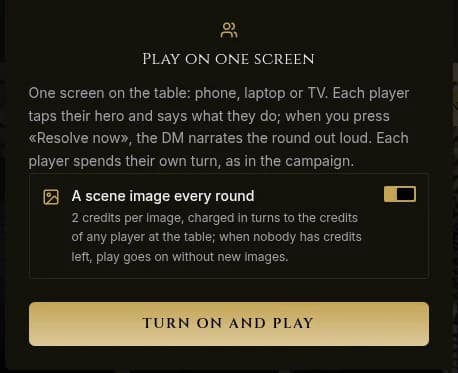
When the owner switches the mode on, they choose whether the table gets a new scene image every round. The image is painted from the round's narration and becomes the background of the screen.
- Each image costs 2 credits.
- The cost rotates among the players who have at least 2 credits, so it does not always fall on the same person. The owner decides for the whole table, and the window says so.
- If the image fails, the credits are refunded.
- When nobody has credits left, play goes on without new images, the last image stays as the background and the table shows a notice.
With the switch off, the background is the last scene image the campaign already had, or the world's art if there is none.
What else can you do from the shared screen?
- Replay narrates the last answer again from the beginning, for whoever was refilling the snacks.
- Text opens the full narration of the round and what each hero did, with earlier rounds above.
- Chat opens the same quick chat as the regular play screen: questions for the DM and the table chat.
- Map appears only if the campaign has a published map.
- A hero's portrait opens their sheet without taking their seat.
- Type lets a player write their action instead of speaking it. It also opens by itself if the microphone fails.
What are the limits of Party Mode?
- It is for one room and one screen. Remote groups should use online multiplayer.
- Only the owner's device shows the shared screen. Other members who open the campaign on their phones see the regular play screen.
- During a fight on the tactical board, the screen switches to the regular combat view.
- It is not available in Arena campaigns.
- There are no 3D dice and no turn order: the table decides when the round ends.
How do you switch Party Mode on?
- Make sure every player has joined the campaign with a hero and is on Hero or Legend.
- As the owner, open the campaign and, in the ⋮ menu, choose Play on one screen. The same option is in the menu of the play screen.
- Decide whether you want a scene image every round and press Turn on and play.
- Connect the device to the TV if you have one. To go back, use Leave the shared screen, next to the home button.
The campaign is the same in both modes: what you play on the shared screen stays in its history, its codex and its campaign book.
Frequently asked questions
How much does Party Mode cost?
Party Mode has no price of its own. Every member of the campaign, the owner included, needs the Hero plan (€9.99 a month or €99.90 a year) or Legend (€19.99 a month). Each round spends one turn from each player, the same as an online campaign. Scene images are optional and cost 2 credits each.
Does every player need a LoreKeeper account?
Yes. In Party Mode each player plays their own hero, and heroes belong to the members of the campaign. Each player needs an account, a hero in the campaign and the Hero or Legend plan. They do not need their own screen: the whole table plays on the owner’s device.
Can I turn on Party Mode if one friend is on the free plan?
No. Party Mode turns on only when every member of the campaign is on Hero or Legend. If someone is not, the activation window names who is missing. If a member downgrades while the mode is on, the shared screen stops showing and the lobby says who is below Hero.
Who pays for the scene images?
If the owner turns on the scene image every round, each image costs 2 credits and the cost rotates among the players who have at least 2 credits. When nobody has credits left, play goes on without new images and the table shows a notice. Each charge appears in that player’s credit history as a scene image.
Does the voice narration or the microphone cost extra?
No. On Hero and Legend the DM’s voice narration is part of the plan, and speaking into the microphone to send an action does not spend credits. If the microphone fails, each seat has a Type button to write the action instead.
Does Party Mode work for remote groups?
Party Mode is for people in the same room around one screen. If your group plays from different places, use regular online multiplayer: each player joins the same campaign from their own device. The campaign and its history are the same in both modes.
Your table is ready
Create a character, pick a world and play your first scene in a few minutes. The AI Dungeon Master handles the rules, the dice and every NPC.
Free · 10 turns a day · no card
We’re saving you a seat
Still deciding? Come ask anything on our Discord. The team and other players answer.
Ask on DiscordRelated guides
How AI Dungeon Master Multiplayer Actually Works
Who pays, how turns work, whether one player can hijack the story, and what happens when two players act at once.
How Our AI DM Remembers What Was Said 45 Rounds Ago
Every round kept word for word: facts from 45+ rounds earlier now reach the DM 63–79% of the time, up from 12–19%.
What's New in LoreKeeper (October 2026)
Scene images built from the round, NPC portraits, talking NPCs, smarter companions, a narrator selector and clearer combat.